
Turn product photos into ad ready video creative with a workflow your team can repeat
This workflow is built for ecommerce brands that already have product photography and want to create more video ads, launch assets, and short form creatives without rebuilding the process every time.
Use it when you want a cleaner route from product image to motion led creative, paid social tests, landing page assets, or product launch content.

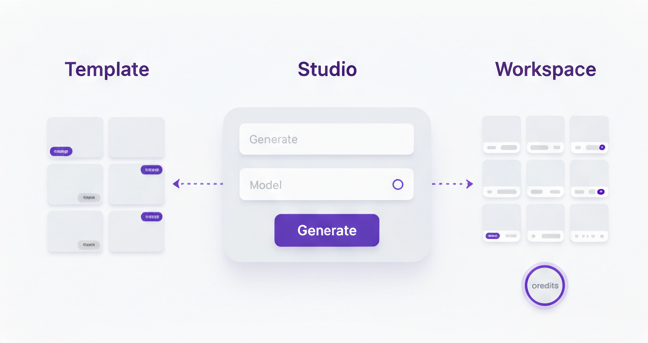
Start with assets you already have
Use product photos, packaging shots, lifestyle images, or campaign stills as the starting point.
Build first pass video concepts quickly
Generate motion led creative for launches, paid social, retargeting, and product page support.
Refine, test, and repeat
Keep the strongest versions, improve the angle, and build a more repeatable creative system over time.
Most ecommerce teams do not need more ideas. They need a faster route from product image to usable creative.
Product photo to video workflows are useful because they help brands get more from the assets they already have. Instead of waiting on a fresh shoot or rebuilding each ad by hand, you can use a more structured process to create motion led content faster.
More output from the same product shoot
Strong product photography can do more than support a gallery. It can become the base for launches, paid ads, and short form video concepts.
Faster concept testing
Instead of treating each new video as a separate production job, your team can test more hooks, formats, and angles around the same product.
Cleaner creative workflow
A workflow makes it easier to brief, generate, refine, and decide what should be used next instead of creating random one off assets.
How the workflow works in practice
Keep the workflow simple. Start with one product, one campaign angle, and one clear reason for the video to exist.
Choose the product and the angle
Pick one product and define what the video needs to do. That could be a launch, a feature highlight, a paid social test, a bundle push, or a landing page support asset. Clear direction makes the rest of the workflow easier.
Select the best product photos
Use images that are clean, sharp, and visually useful. Product only shots, close ups, packaging images, and lifestyle stills all work differently, so choose images that fit the type of ad you want to make.
Write a clear brief before you generate
Define the audience, platform, mood, offer, and visual direction. Even when the source is a photo, the brief still matters because it shapes what kind of motion, scene structure, and creative feel you want.
Generate several first pass concepts
This is where AI Video Studio becomes useful. Start with multiple versions so you can compare motion style, scene feel, and how well the product is being presented across different creative directions.
Refine the strongest directions
Once you have a few promising concepts, tighten the pacing, simplify the message, and improve the product focus. The goal is not maximum variation forever. The goal is to move toward assets you would actually run.
Export, test, and learn what to repeat
Use the strongest outputs in real placements. That could be paid social, retargeting, launches, landing pages, or organic short form. Keep what works, then turn the best patterns into your next starting point.
A good workflow gives each video a job
The point is not to create motion for the sake of motion. The point is to create product videos that help with a real marketing job, whether that is stopping the scroll, explaining a feature, supporting a launch, or giving you more creative inventory to test.

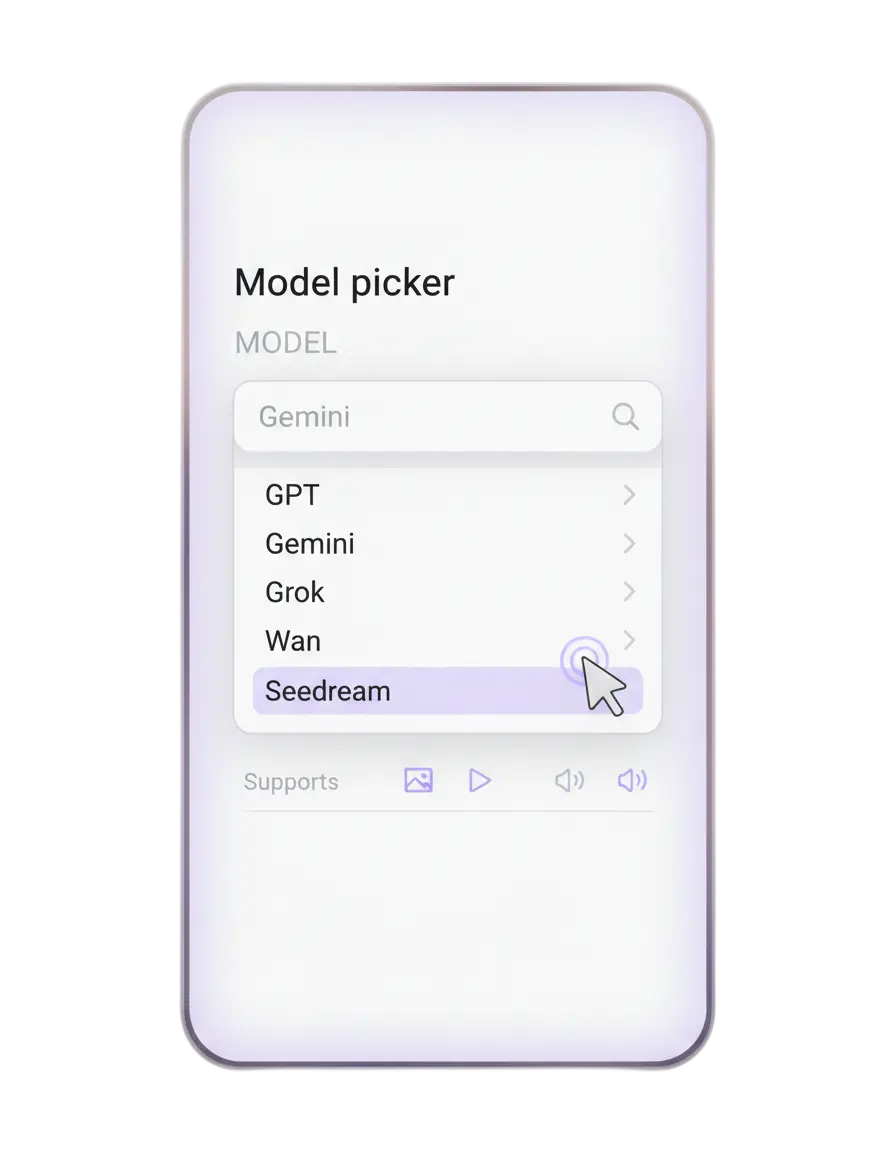
This workflow is stronger when it sits inside a system
A good workflow is not just a page of advice. It should connect to the tools and pages that actually help your team move.
-
Use AI Video Studio when you want the main solution view.
-
Use AI Video Studio tool when you want the tool specific entry point.
-
Read AI Product Video Generator for Ecommerce Brands for the broader strategy behind this workflow.
-
Read Image to Video for Product Marketing if you want more detail on the image to motion side of the process.
Where this workflow works best
This workflow is especially useful when you already have strong product imagery and need faster video output without a heavy production cycle every time.
Product launches
Create launch videos from packaging shots, hero stills, and campaign images when a new product needs motion quickly.
Paid social testing
Build several ad angles around the same product so the team can test hooks, offers, and visual directions faster.
Retargeting creative
Turn existing product imagery into fresh motion assets when older ads need a new look or a different offer angle.
Landing page support
Add motion led product sections to landing pages and campaign pages without commissioning a full separate edit.
Answers before you start
Who is this workflow best for
It is best for ecommerce brands, marketers, founders, and creative teams that already have product photography and want more video output with less production friction.
Do I need video editing skills
No. The workflow is designed to reduce how much manual editing and rebuilding is needed just to get first pass product video creative.
Does this only work for luxury products
No. It can work for beauty, fashion, supplements, home products, accessories, and many other ecommerce categories. What matters most is having strong source imagery and a clear angle.
Should I start with one video or several
Start with several first pass concepts. Variation helps you see which direction is worth refining before you commit further.
Can this support paid social ads
Yes. This workflow is especially useful for paid social because it helps brands build more product ad variations and creative angles from the same asset base.
Where should I go next
Start with AI Video Studio, then create an account when you are ready to build your first product video workflow.
Keep building the Video Studio cluster
Move from workflow into the supporting pages that help you brief better, compare options, and build stronger product video output.
AI Product Video Generator for Ecommerce Brands
The broader commercial page around AI product video creation, creative workflows, and what brands should look for.
Read the articleVideo Ad Brief Template
Use a clearer brief before generation so the product angle, scenes, and message are easier to control.
Use templateStratboost vs CapCut for Product Videos
A practical comparison for teams deciding whether they need a quick editor or a fuller product video workflow.
Read comparisonShopify Product Videos
A more specific ecommerce use case for brands that want more launch assets, ad tests, and product videos from existing store assets.
View use caseMain solution page
When you are ready to move from planning into production, go to AI Video Studio.
Ready to turn product photos into video creative your team can actually use
Start with the workflow, tighten the brief, compare the right setup, and move into Video Studio with a clearer production path.