
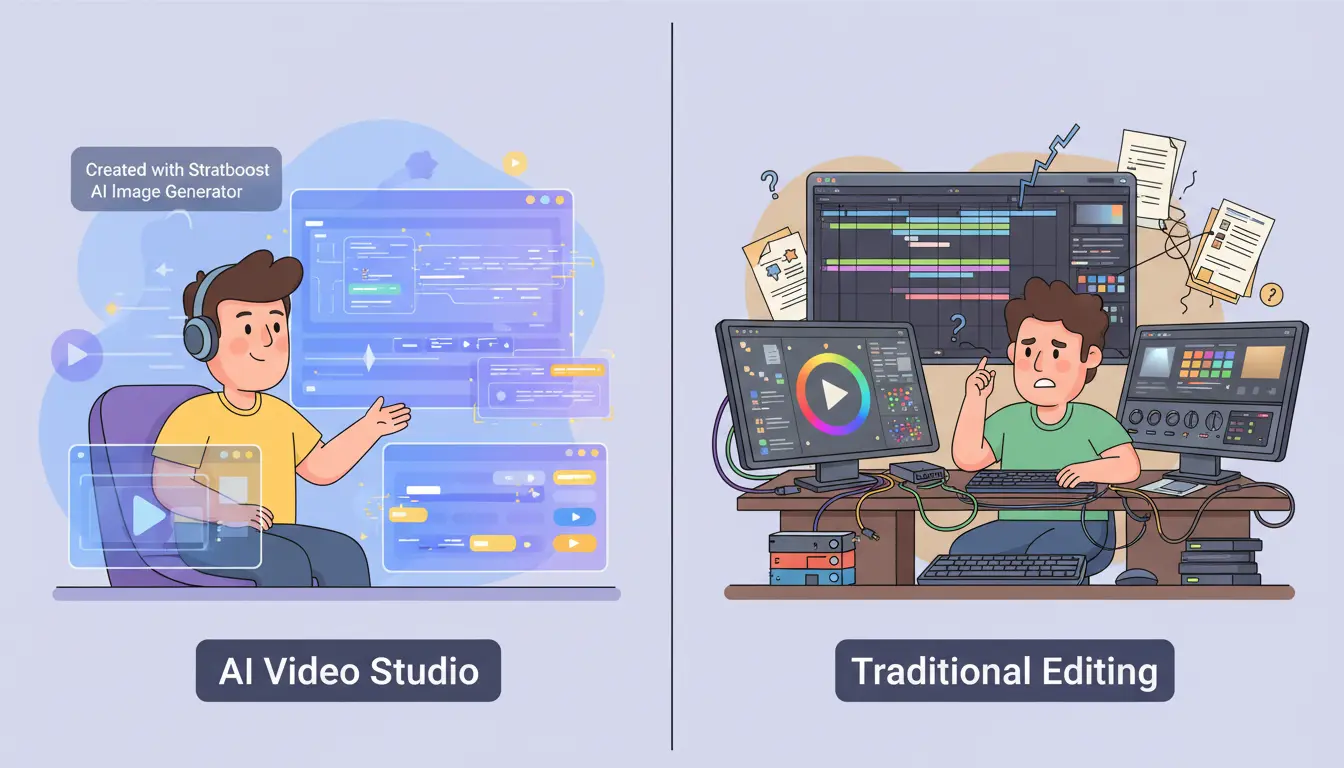
AI Video Studio vs Traditional Editing: What 2026 Creators Actually Prefer
If you make content for a living, you already know the tension. On one side, there’s the traditional editor’s timeline, keyframes, and pixel-level control. On the other, there’s the promise of AI video tools that turn scripts into ready-to-post clips in minutes.
By 2026, this isn’t a theoretical debate anymore. It’s a practical decision: do you want maximum control, or do you want maximum output without burning out?
In this guide, we’ll break down how traditional editing actually feels in 2026, what an AI Video Studio workflow looks like inside Stratboost, and where each approach genuinely wins. The goal isn’t to pick a “winner”, but to help you choose the setup that fits the way you create.
The Real Question in 2026: Speed, Volume, or Control?
Most creators are not asking, “Is AI the future?” They’re asking something much more down to earth:
- How do I post more often without my whole life becoming editing?
- How do I keep quality high enough that I’m proud of it?
- How do I do this consistently while running a business, a job, or a personal life?
Traditional editing gives you control. You can tweak every cut, every frame, every transition. But it also locks you into hours of timeline work for each piece of content.
An AI video studio flips that balance. You mostly work at the level of ideas, scripts, and hooks, and the software does the heavy lifting of pacing, text overlays, and layout. You lose some micro-level control, but you gain output and speed.
The decision isn’t “AI versus humans”. It’s: where do you want to spend your limited creative energy?
What Traditional Editing Looks Like for a Creator in 2026
Let’s start with the thing most creators already know: a traditional editing cycle.
A Typical Traditional Workflow (Step by Step)
For a single TikTok, Reel, or Short, the process usually looks something like this:
- Record footage on your phone or camera.
- Import clips into your editing software.
- Cut and trim the footage into a rough sequence.
- Add captions, text overlays, and graphics by hand.
- Layer music and sound design and adjust levels.
- Export, review, tweak, and re-export until it feels right.
- Reformat for different platforms if needed.
For a skilled editor, that might take 45–90 minutes per video. For a busy creator who’s still learning the tools, it can easily swallow half a day.
Where Traditional Editing Still Shines
Traditional editing is not “dead”. In fact, there are areas where it absolutely wins:
- High-end brand films and campaign videos where every shot, cut, and effect matters.
- Long-form YouTube and documentaries where pacing, story arcs, and emotional beats need human nuance.
- Complex motion graphics and VFX where you’re building visuals from scratch.
- Projects with large budgets and long timelines where you have room to obsess over details.
If you’re crafting a flagship brand film, hiring a human editor and going full traditional can absolutely be the right move. But that’s not most of the content most creators need to publish each week.
What an AI Video Studio Workflow Actually Looks Like
Now let’s look at the other side: working with an AI-powered video studio instead of living in the timeline.
Script → Scenes → Captions in One Flow
In an AI video studio, you usually start with a script, outline, or idea rather than raw footage. The workflow looks more like this:
- Write or generate a script (for example, using a TikTok script template or a faceless video script template).
- Drop that script into your AI video tool.
- Let the AI suggest scenes, layouts, and text overlays based on the script structure.
- Generate captions automatically instead of typing them line by line.
- Preview, tweak, and export in the formats you need.
Instead of nudging every cut manually, you spend most of your time improving the hook, message, and call to action. The tool handles the repetitive parts.
Inside Stratboost’s AI Video Studio
In Stratboost, the AI Video Studio is built around that exact philosophy. You focus on:
- The idea you want to get across.
- The script or bullet points you want to deliver.
- The platform you’re posting on (TikTok, Reels, Shorts, etc.).
The system then helps you turn that into social-ready video content via the AI video editing tool and the AI reel maker. Clips, captions, and layouts become a starting point you can refine, rather than a blank timeline you have to build from scratch.
How It Feels Different for the Creator
The biggest shift is psychological. You stop thinking like a part-time editor and start thinking like a publisher:
- You measure days by “videos published”, not by “hours spent editing”.
- You work at the level of ideas and hooks, not keyframes.
- You’re willing to test more variations because the cost of producing them is low.
That difference is subtle at first. But over a month or two, it compounds into a visible gap in volume and momentum.
Side-by-Side: AI Video Studio vs Traditional Editing in 2026
To make this concrete, here’s a simple comparison for short-form content (TikTok, Reels, Shorts) aimed at creators and small brands.
| Metric | Traditional Editing | AI Video Studio |
|---|---|---|
| Time per video | 45–90 minutes (or more) per piece | 10–20 minutes including review |
| Videos per week (solo creator) | 2–5 if you also run a business | 10–30 with a consistent workflow |
| Skill required | Editing software, timelines, effects | Basic scripting and content ideas |
| Control over tiny details | Very high (you control every frame) | Medium (you refine a strong starting point) |
| Consistency across videos | Depends on your templates and habits | High (same templates and logic applied every time) |
| Upfront cost | Editing software + possible editor fees | AI subscription, no extra editor needed |
| Best suited for | Hero videos, brand films, complex projects | Daily content, ads, educational clips, faceless content |
If you live on brand campaigns and long-form YouTube, traditional editing will likely remain a core skill. If your growth comes from consistent short-form output, an AI video studio becomes very hard to ignore.
Real 2026 Use Cases Where AI Video Studio Wins
Daily Short-Form for TikTok, Reels, and Shorts
The biggest win is simple: short-form, every day.
Instead of treating each video as a precious one-off, you treat them as iterations of a concept. You might have a “Daily Tip” series, a “Myth vs Reality” series, or a simple “Here’s what I’m working on this week” series.
- Use a TikTok script template to structure your hook, story, and CTA.
- Feed that script into the AI reel maker.
- Publish consistently without having to re-invent the wheel every time.
It’s not that AI magically gives you better ideas. It just makes it realistic to act on more of them.
Educational Content and Mini-Courses
AI video tools are also strong for educational snippets and mini-courses. You can map out a small curriculum, then turn each lesson into a short, focused clip.
- Outline your lessons as a series.
- Use templates to keep each video structured.
- Run them through your AI Video Studio and publish to your channels or community.
Pair this with an AI content machine workflow and those videos can also feed into blogs, emails, and social posts automatically.
Faceless Content for Shy or Busy Creators
Not everyone wants to be on camera every day. Some creators don’t want their face in every single clip. Others just want to move faster with B-roll and overlays.
With a faceless video script template, you can build videos around:
- Screen recordings
- Product shots
- Text-only visuals
- B-roll with voiceover
AI handles much of the assembly and pacing. You focus on the message and the offer.
Where Traditional Editing Still Makes Sense in 2026
For all the advantages of AI, there are still plenty of scenarios where traditional editing is the right call.
Brand Films, Trailers, and Hero Videos
When you’re creating a piece that will sit on your homepage, anchor a major launch, or define your brand for years, you probably want full human control. These are pieces where:
- Every transition and sound effect matters.
- You’re going through multiple rounds of review with stakeholders.
- The goal is “timeless and iconic”, not “fast and iterative”.
For this kind of work, a skilled editor working in a traditional environment is still a huge asset.
Long-Form Storytelling and Deep-Dive YouTube
For long-form YouTube videos, interviews, and documentaries, human judgment around pacing and narrative is still hard to beat.
AI can assist here by:
- Generating highlight clips for shorts.
- Helping you find strong soundbites.
- Suggesting chapter markers.
But for the main cut, a human editor often makes better calls about where to linger and where to cut away. Many creators will end up with a hybrid setup: AI for short content and repurposing, traditional editing for flagship long-form pieces.
How Creators Actually Feel About AI Video in 2026
The Initial Skepticism: “It’ll Look Cheap, Right?”
Most creators go through a similar journey. The first reaction to AI video tools is usually:
- “It’s going to look generic.”
- “It’ll make everything feel like a template.”
- “My audience will notice and hate it.”
And to be fair, badly used AI tools can produce bland, lifeless content. If you copy-paste prompts and accept the first output every time, it will feel generic.
The Reality After a Month of Using an AI Video Studio
Once creators actually live with an AI workflow for a few weeks, the conversation shifts. A common pattern looks like this:
- You publish more often without feeling like you live in an editor.
- You test more hooks and angles because the cost of trying is low.
- You spend more time thinking about offers, positioning, and ideas and less time adjusting keyframes.
Imagine a creator who used to publish four videos a month. Between client work, admin, and life, that’s all they could manage. With an AI Video Studio, they shift to publishing 30–40 short videos a month:
- Some perform just okay.
- A few fail quietly.
- But several hit angles they never would have tried if every video took hours to edit.
The output doesn’t feel like a content farm. It feels like a creator who finally has the bandwidth to experiment.
A Simple 3-Step Plan to Switch Without Burning Everything Down
You don’t have to pick a side forever. You can phase an AI video studio into your workflow in a controlled, low-risk way.
Step 1 – Start With One Series, Not Your Whole Channel
Pick a single recurring series to run through AI first. For example:
- “One tip per day” in your niche.
- “Myth vs reality” episodes.
- “Today’s lesson” for your students or audience.
Commit to producing that series through an AI workflow for a month. Keep everything else as it is. This gives you a clean A/B test: what happens when you let AI handle the repetitive work for one content stream?
Step 2 – Standardise Scripts With Templates
Scripts are where consistency starts. Instead of overthinking every video from scratch, use templates that guide your structure.
- Use a TikTok script template for short educational clips.
- Use a UGC-style script template for product and offer videos.
- Use a faceless video script template when you don’t want to be on camera.
Once the structure is consistent, an AI video studio has a much easier job assembling clips that feel on-brand.
Step 3 – Plug It Into an AI Content Machine
Video doesn’t have to stand alone. The same idea can live as a blog, an email, a carousel, and a short.
With an AI content machine workflow, you can:
- Turn your video scripts into SEO-friendly blogs.
- Convert key ideas into email sequences.
- Generate carousels and social posts around the same theme.
The result is a content system where one strong idea travels across multiple formats with far less effort than you’re used to.
FAQs: AI Video Studio vs Traditional Editing in 2026
Is AI video editing better than traditional editing for TikTok and Reels?
For daily TikTok, Reels, and Shorts, AI video tools have a huge advantage: speed and volume. They make it realistic for a solo creator or small brand to post multiple times per week without hiring an editor.
Traditional editing can still deliver higher polish, but for algorithm-driven platforms where frequency and testing matter, the ability to move quickly often beats micro-level perfection. Many creators now use traditional editing for special pieces and an AI Video Studio for day-to-day content.
Will AI replace professional video editors in 2026?
AI is changing what editors do, but it isn’t erasing them. The editors who thrive are the ones who:
- Use AI to handle repetitive tasks and rough cuts.
- Focus on story, pacing, and creative direction.
- Offer strategic thinking, not just button-clicking.
Clients still pay for taste, judgment, and results. AI just changes the toolkit.
Can I still customise details if I use an AI Video Studio?
Yes. An AI video studio gives you a strong first version fast. You can still:
- Adjust text, timing, and overlays.
- Swap clips or change scenes.
- Refine the edit before exporting.
The difference is that you’re starting from an 80% solution instead of a blank timeline. You spend your energy on the last 20% that actually moves the needle.
How much does an AI video studio typically cost compared to a human editor?
Most AI video tools are priced like software subscriptions rather than services. A human editor might cost hundreds to thousands per month depending on scope. An AI Video Studio is usually closer to another SaaS bill, especially compared to ongoing editing retainers.
That doesn’t make one “better” than the other. But it does mean that for creators who are just getting started or scaling up their volume, AI is often the most affordable way to get consistent video out the door.
Does AI video editing work if I don’t want to show my face?
It does, and that’s one of its strongest use cases. With the right templates and workflow, you can build entire channels around:
- Screen recordings and tutorials.
- Product and brand visuals.
- Text-led videos and B-roll.
If you’re shy on camera or simply want more flexibility, combining an AI Video Studio with faceless video scripts is a very realistic way to grow.